
Android open testing is live
Less Screen Conflict. More Real-Life Progress.
KidzPAN helps families create routines, set meaningful goals, capture everyday achievements and guide healthier screen use through connected Parent and Child apps.
KidzPAN is currently in Android open testing. Explore the available features and help us improve the experience before the official release.
Both apps are required to connect the parent and child devices.
Installation & Setup Guide (PDF)36 steps · about 10 minutesUseful feedback during open testing:
Send Feedback- 1What worked well for your family
- 2Where setup or pairing felt confusing
- 3What could be improved before official launch
Android open test now available - iOS and final launch updates below
How KidzPAN Works
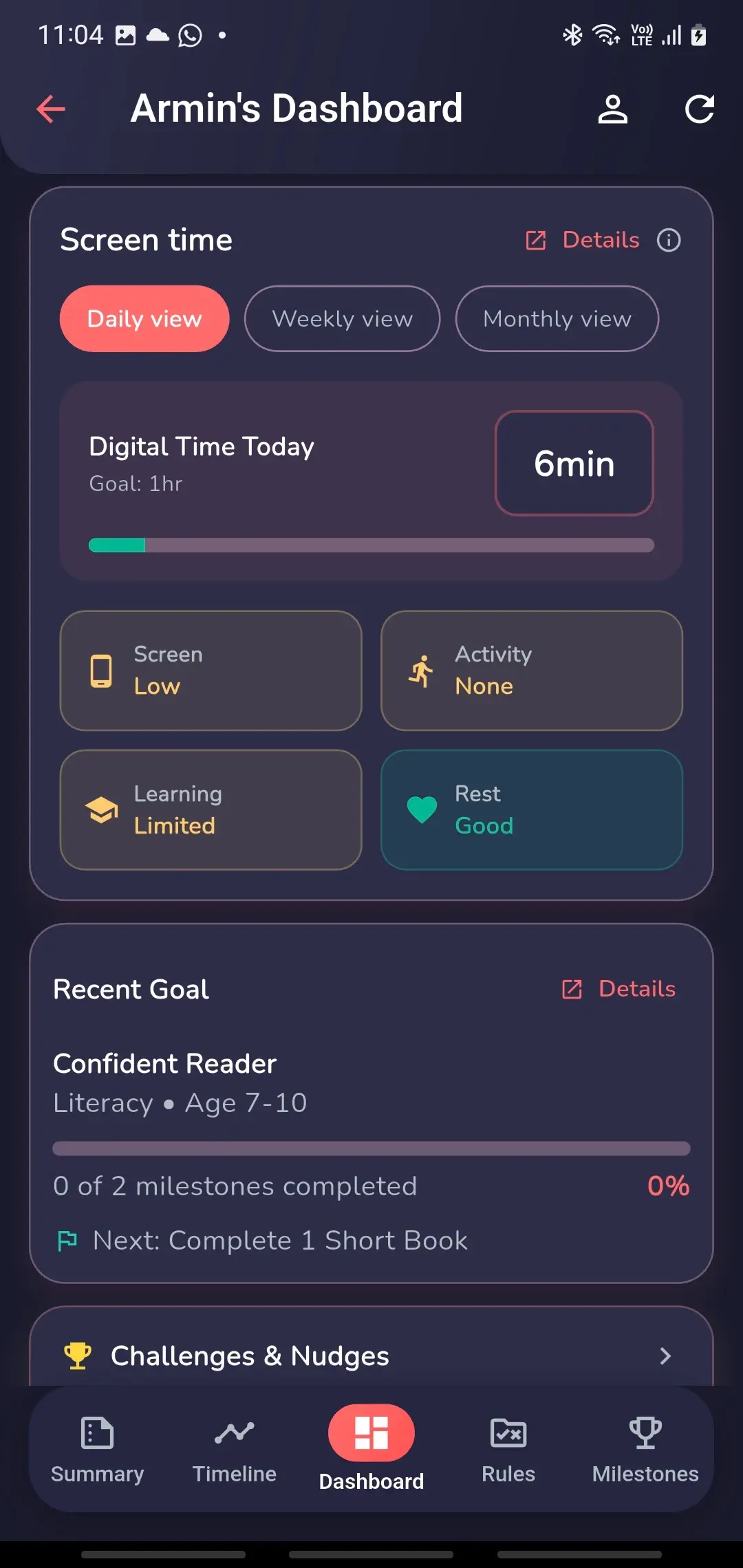
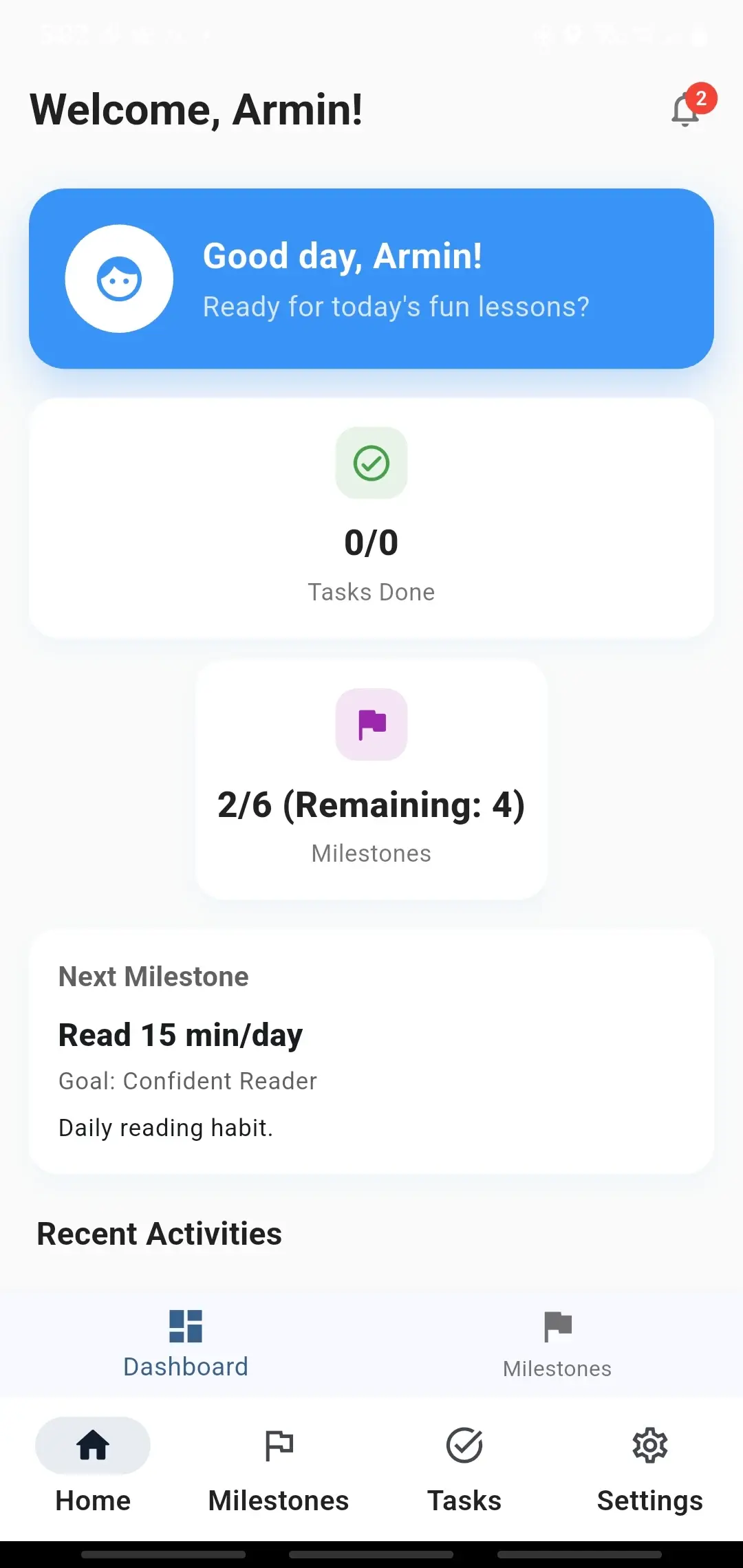
KidzPAN is more than screen limits. It connects screen guidance with routines, developmental goals, visible milestones, real-world activities, journaling and rewards.
Guide
Set routines, goals, milestones and appropriate device boundaries.
Act
Children complete reading, learning, sport, chores and family activities.
Record
Update goals and milestones and capture completed activities in the Activity Journal.
Celebrate
Help children see their progress, points, achievements and rewards.
What You Can Test Now
Explore the open-test features that connect parent guidance, child-visible goals, real-world activities and healthier screen use.
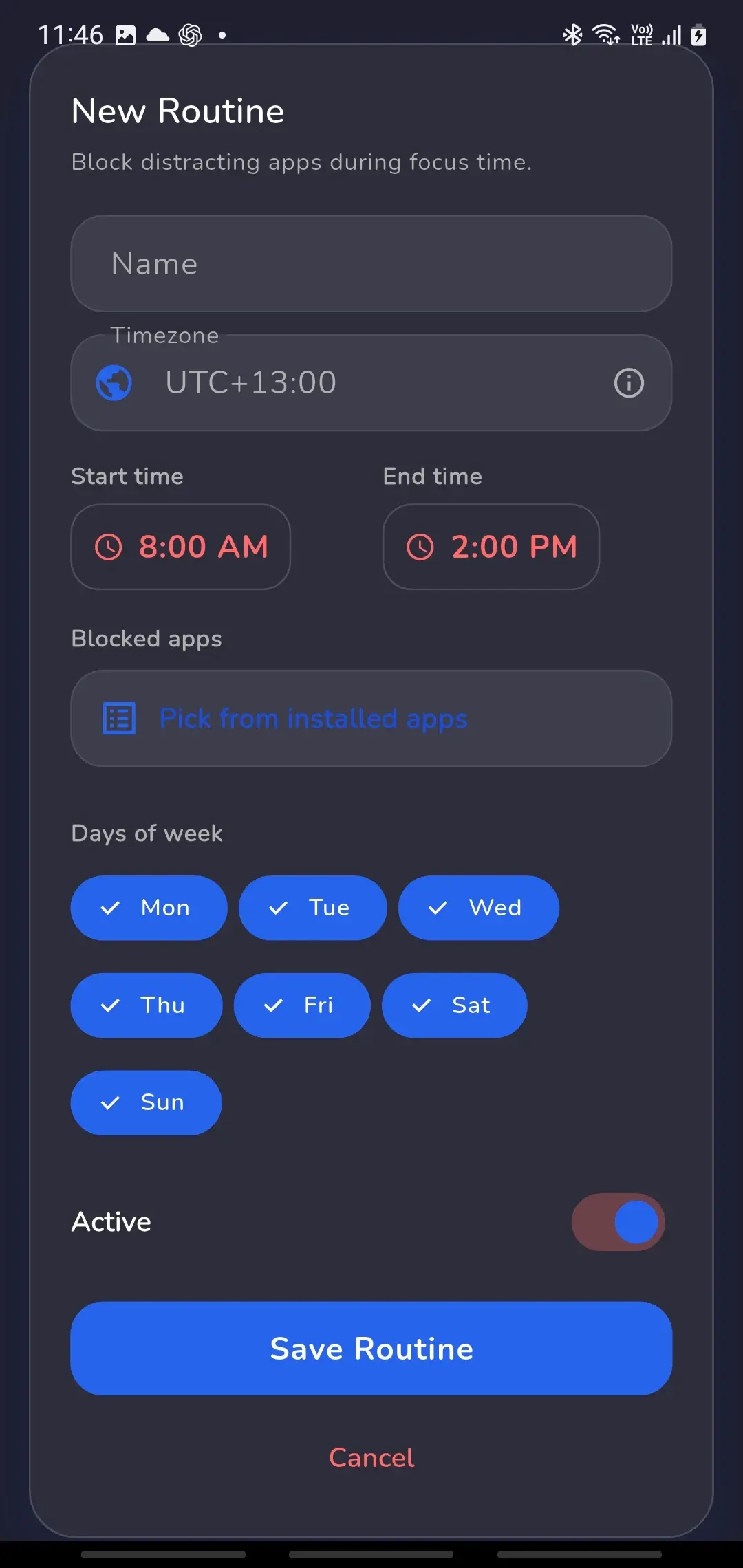
Routines and Focus Windows
Create routines for homework, bedtime, school, reading, exercise and family time. Limit distracting apps during selected periods when the required Android permissions are enabled.
Goals and Developmental Milestones
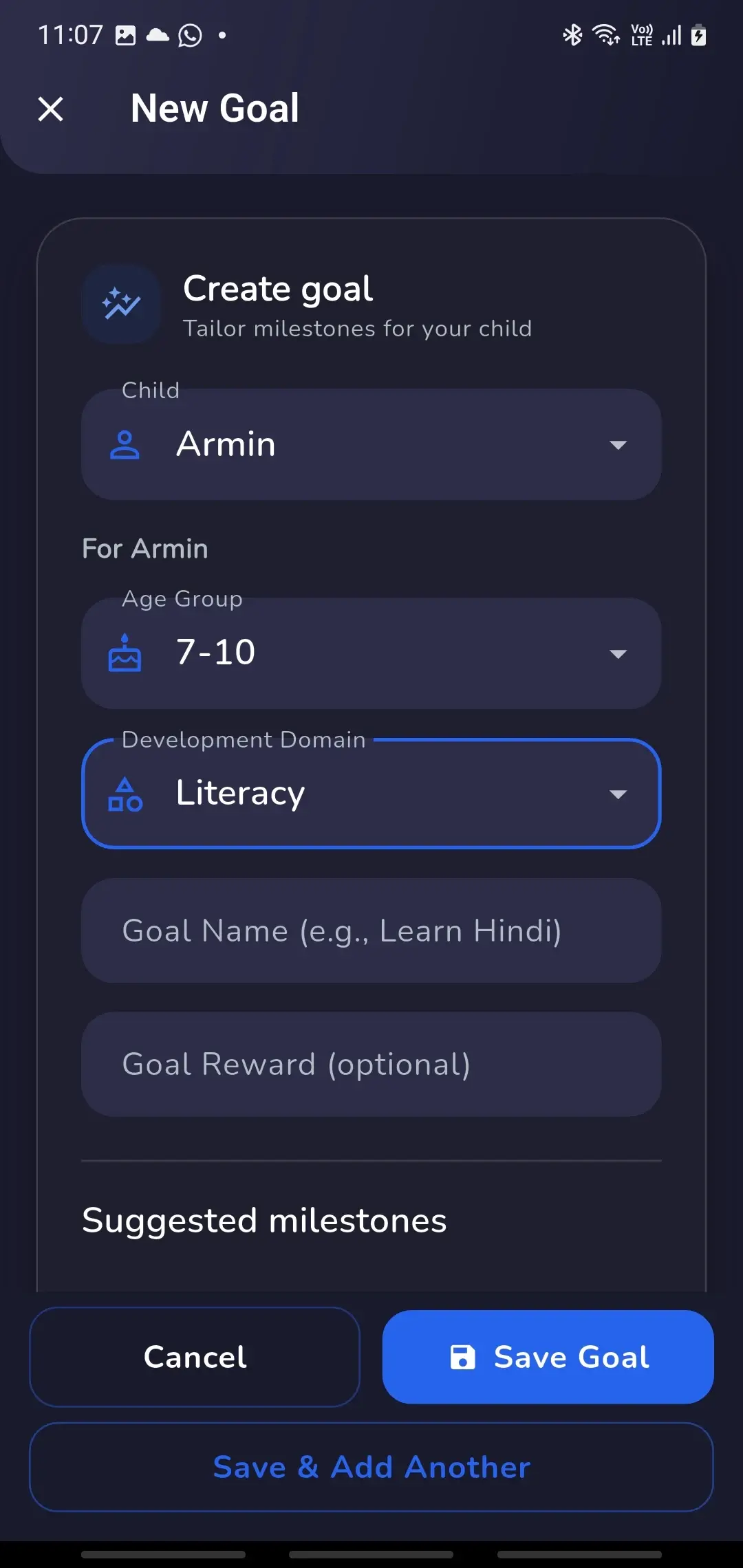
Create meaningful goals and break them into visible milestones so children can work towards learning, health, responsibility and personal-development outcomes over time.
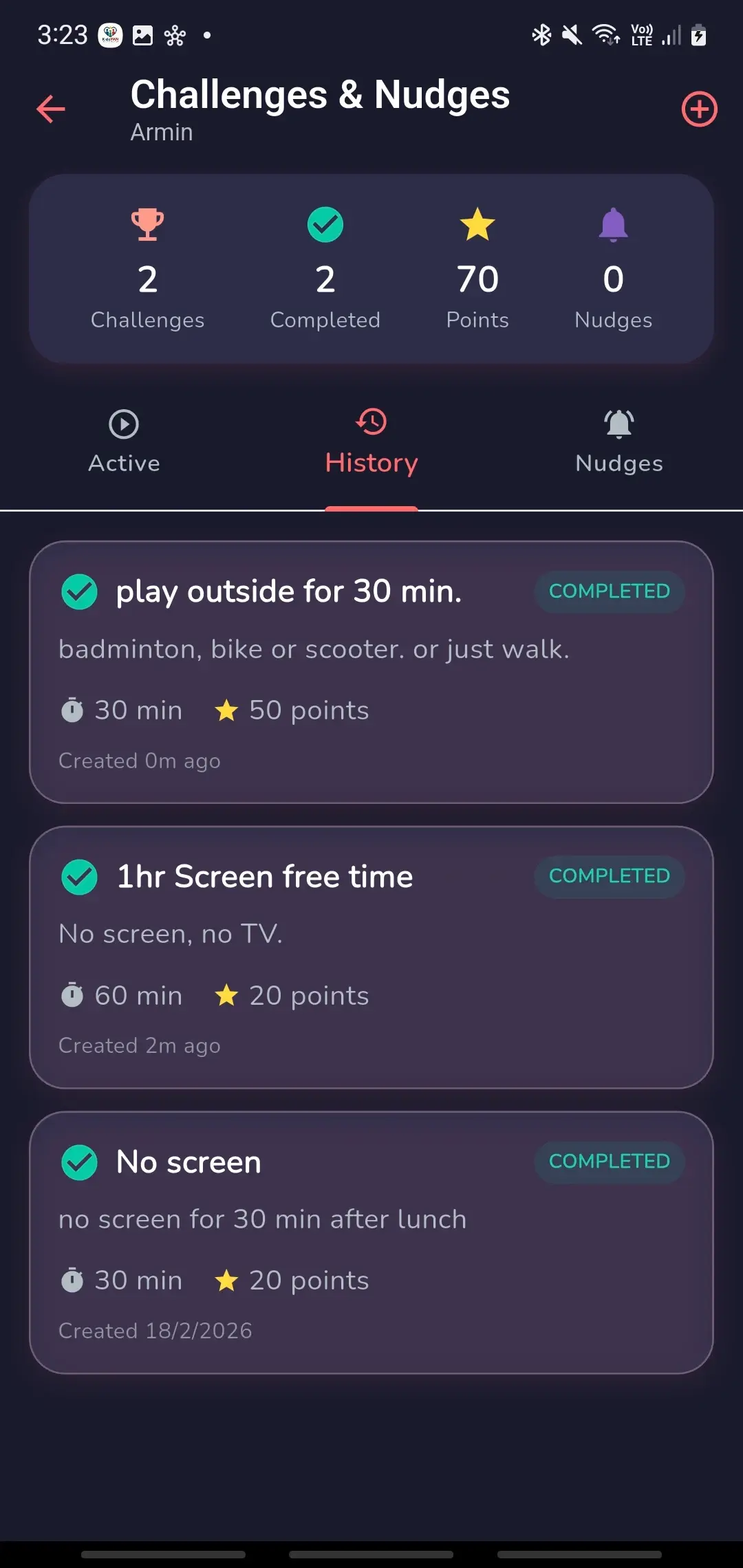
Challenges and Nudges
Encourage outdoor play, reading, study, chores, and family activities with simple reminders and child-visible challenges.
Activity Journal
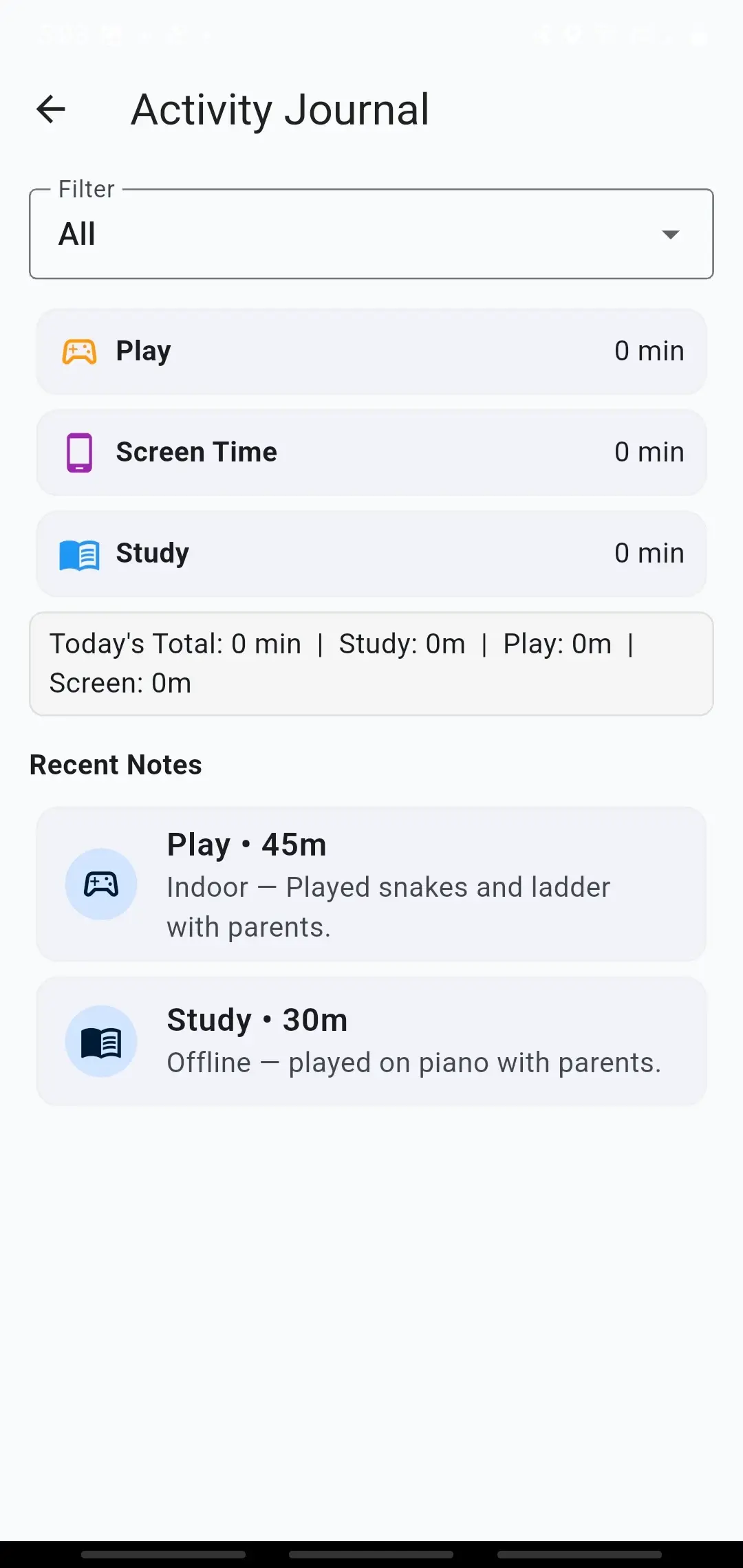
Record your child's real-world activities while updating goals and milestones. Add notes or photos where available and build a journal of learning, sport, creativity and everyday achievements.
Rewards and Visible Progress
Connect milestones and healthy habits to rewards so children can see why their progress matters.
Screen-Time Awareness and Digital Guidance
See how much time your child spends on their device and understand overall screen-use patterns through a simple parent dashboard.
Open-Test Feedback
Explore the available features, tell us what worked well and let us know what could be improved before the official launch.
You Do Not Need to Ban Screens. You Need Better Balance.
KidzPAN connects a Parent App with a Child App to help families manage screen use, build routines, set developmental goals, record real-world activities and recognise progress.
It is designed for families with children aged 5-15 who need clearer expectations, not another blunt blocking tool.
- Create routines for homework, bedtime, school, reading, exercise and family time
- Set goals and visible milestones for learning, health and responsibility
- Capture completed activities in the Activity Journal
- Recognise progress with points, achievements and rewards
The goal is not punishment.
The goal is visible progress and calmer routines.
Guidance Without Unnecessary Intrusion
KidzPAN is designed for family use, so privacy and permission clarity need to be visible from the first setup step.
- Parents remain in control of child profiles, rules, and settings
- Child app permissions are requested during setup for specific parental-control functions
- Personal data is not sold
- No ads targeting children
During open testing, feedback about permissions and setup clarity is especially useful.
Open Testing FAQ
Do I need both KidzPAN apps?
Yes. Install the Parent App first, then install and connect the Child App on the child's Android device.
Is KidzPAN fully launched?
Not yet. The Android apps are currently available for open testing while the experience is refined for official release.
Why are device permissions required?
Certain parental-control functions require Android permissions. Each permission should be explained before it is requested.
Does KidzPAN read private messages?
No. Our Privacy Policy says KidzPAN does not collect the contents of notifications, messages, SMS, emails, photos, videos, audio, contacts or calendar.
How can I provide feedback?
Use the support page to contact us during open testing.
What feedback is most useful?
Tell us what worked well, where setup or pairing felt confusing and what could be improved before the official launch.
Not Using Android?
Join the KidzPAN early-access list for iOS and official-launch updates.
By registering, you agree to our Terms of Use and Privacy Policy.